

Popular Questions
How can I join my institution’s membership? ExpandIf your institution has an enterprise (institution-wide) membership, simply create an account with your institutional email address. When you are logged into that account, you’ll be able to access all member benefits.
If your institution has a per-user membership (not institution-wide), contact our customer service team via our Live Chat or info@academicimpressions.com to obtain contact information for your institution.
How do I register for trainings? ExpandIf you have a membership, make sure that you are logged in to our site so that you are recognized as a member with access to free and discounted events. If you need help logging into your account, please see our login instructions!
For events that are free with membership, click the “Express Register” button at the top of the page to automatically add the training to your account.

For trainings with an associated fee, click the “Purchase Training” button at the top of the page to add the training to your cart. You will then be prompted to go through a checkout process.
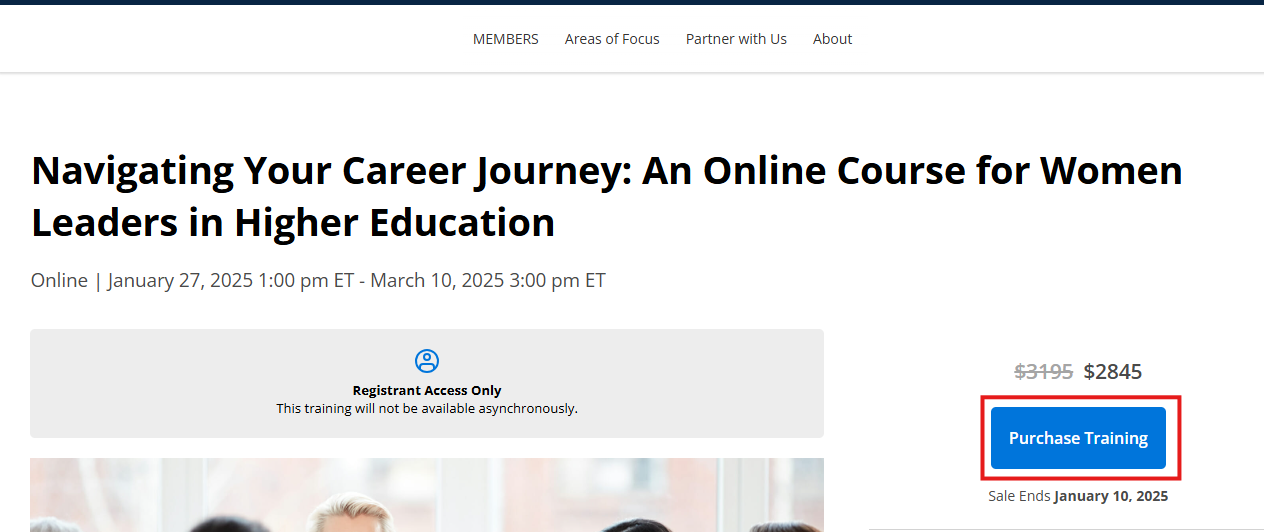
If you are registering for an upcoming live event, you’ll be able to access the training on the “My Upcoming Live Events” tab on your My Trainings and Registrations page. You will also receive a confirmation email.
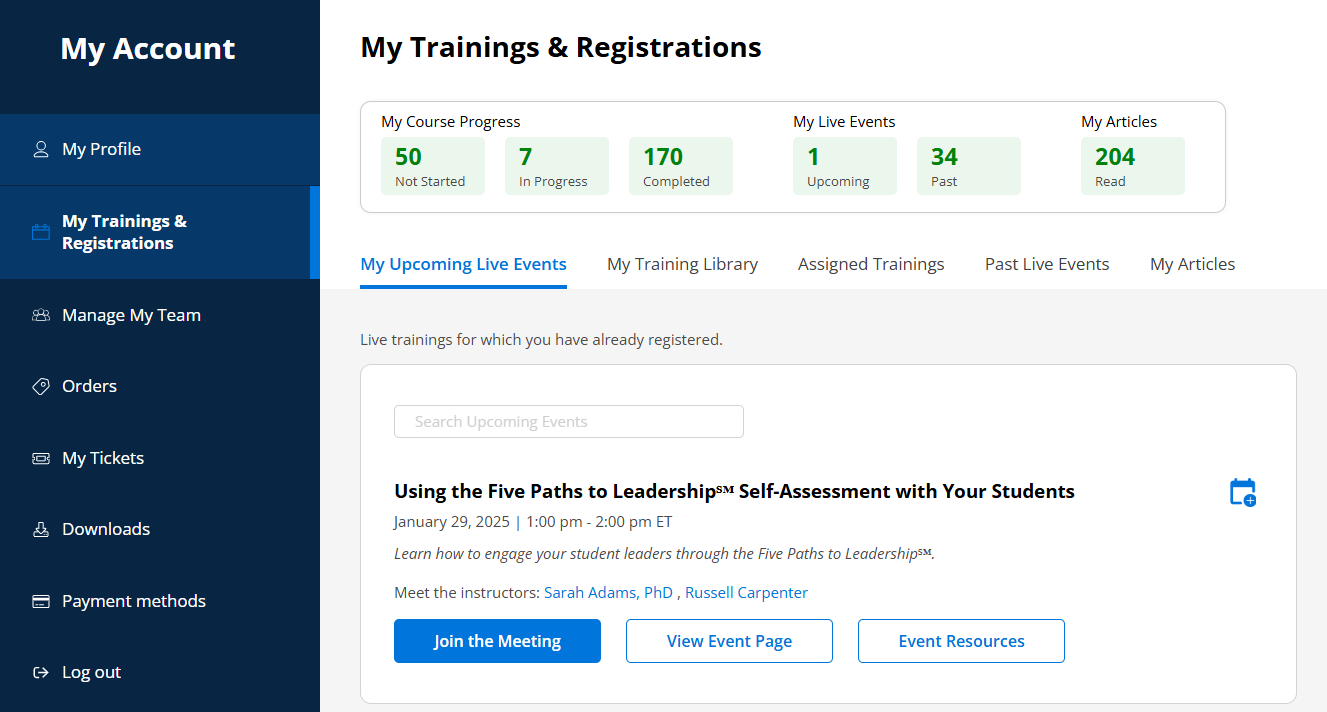
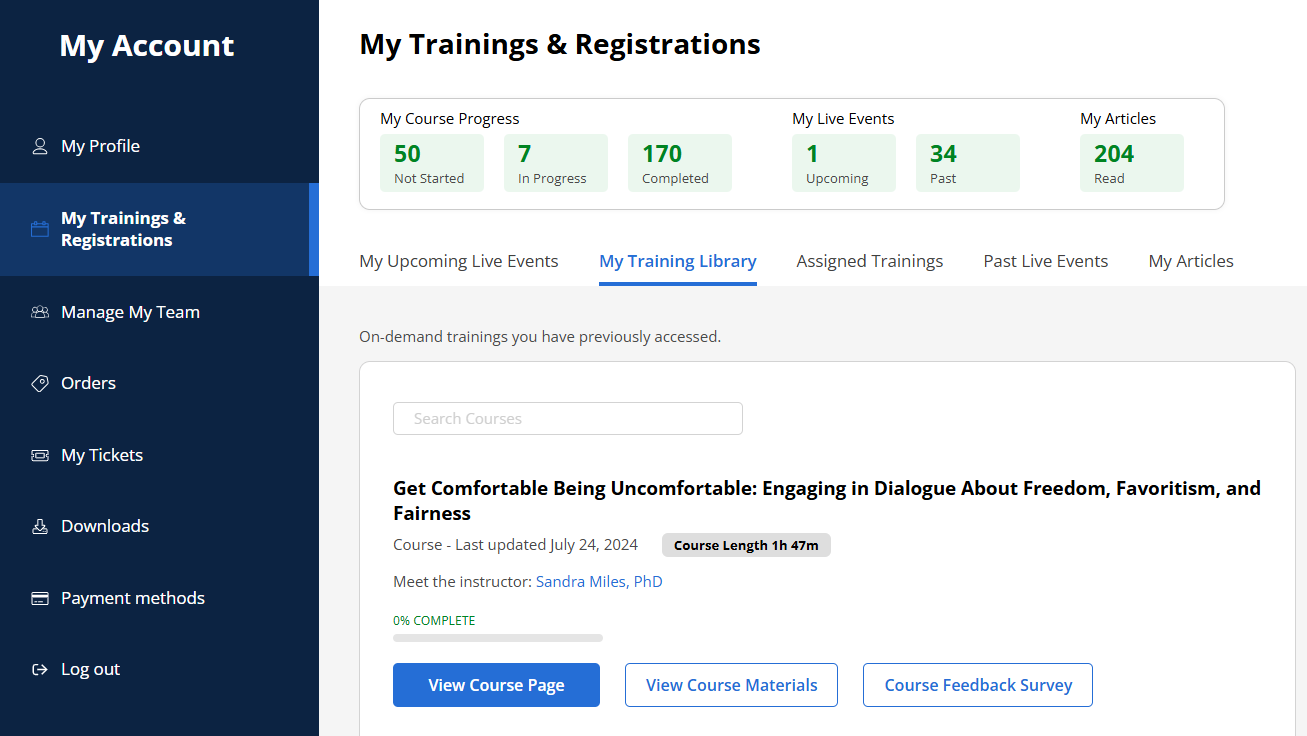
If you are registering for a course or recording, you’ll be able to access the content immediately after adding it to your account, both from the course page and from the “My Training Library” tab on your My Trainings and Registrations page.
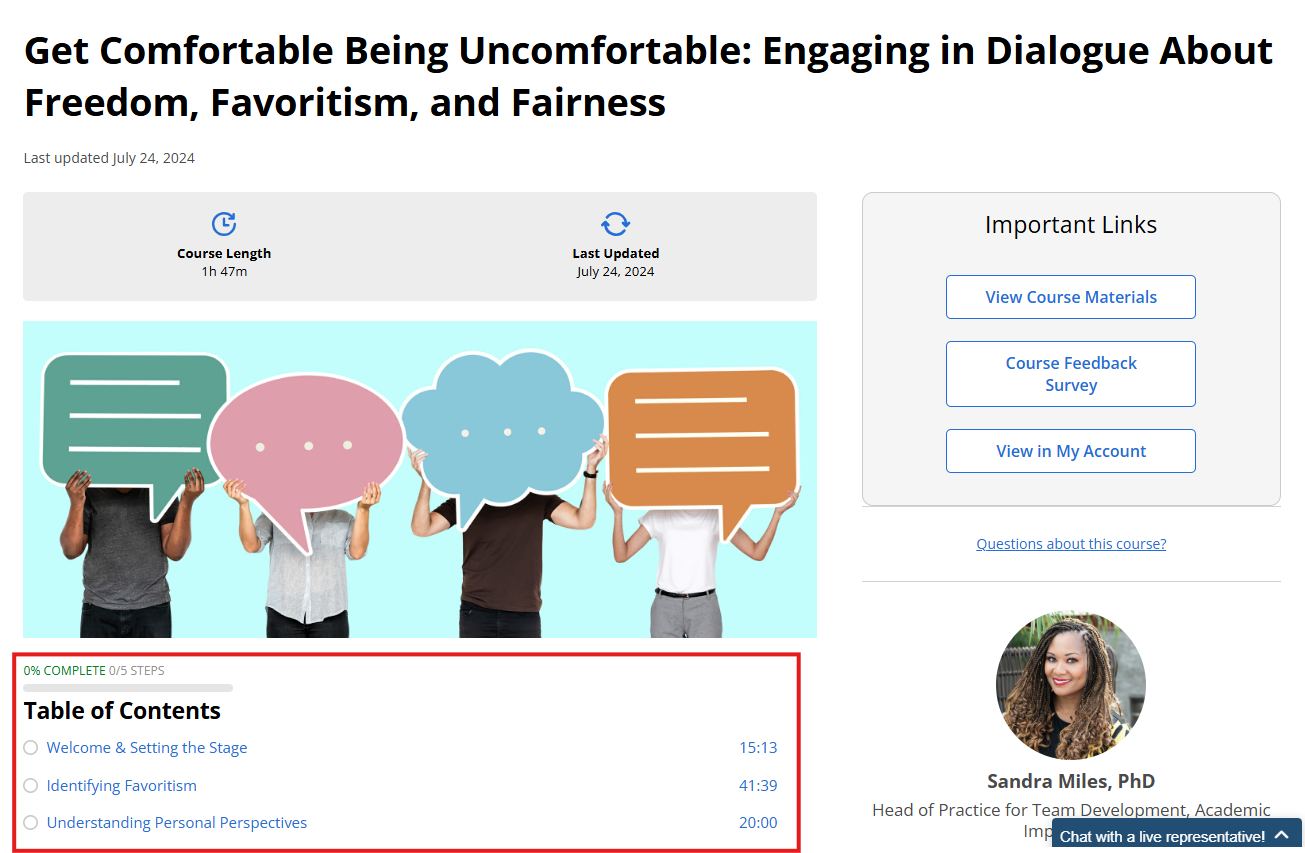
First, make sure you are logged into your account. If you need help logging into your account, please see our login instructions!
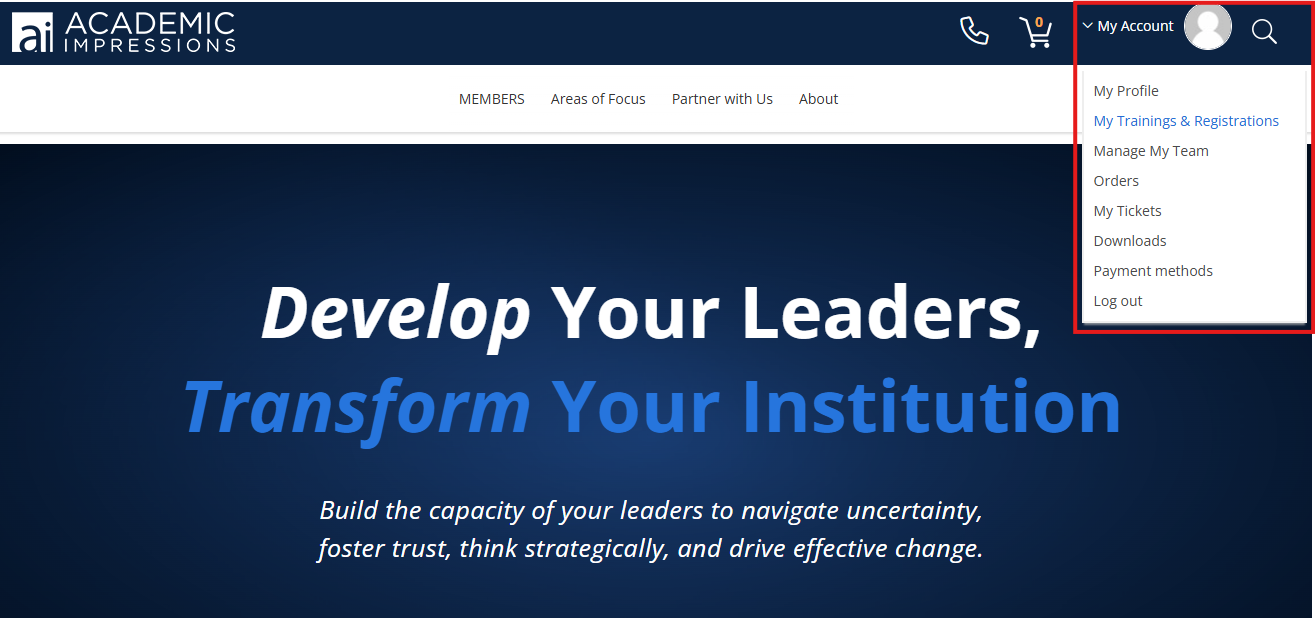
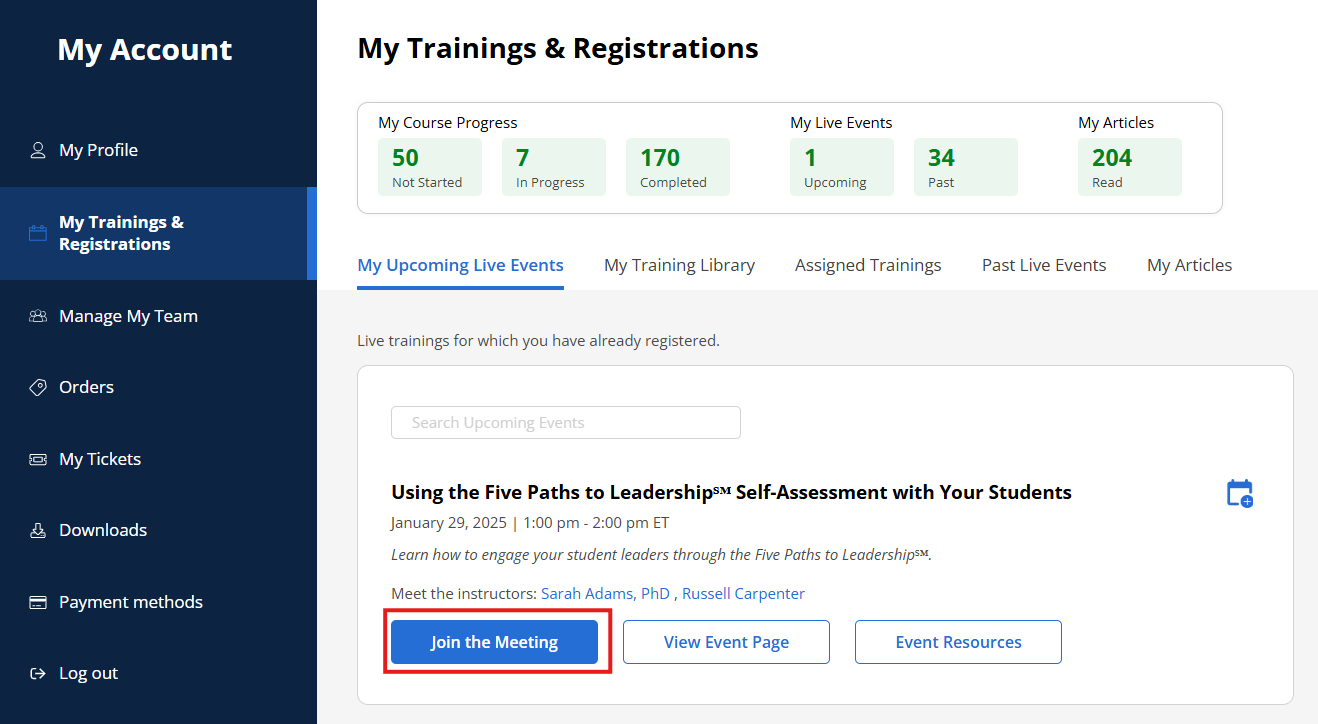
Then, navigate to your My Trainings and Registrations page – you can get there by hovering over “My Account” in the upper-right corner, then clicking “My Trainings and Registrations” in the drop-down menu. Find your training under “My Upcoming Live Events” and click the “Join the Meeting” button.
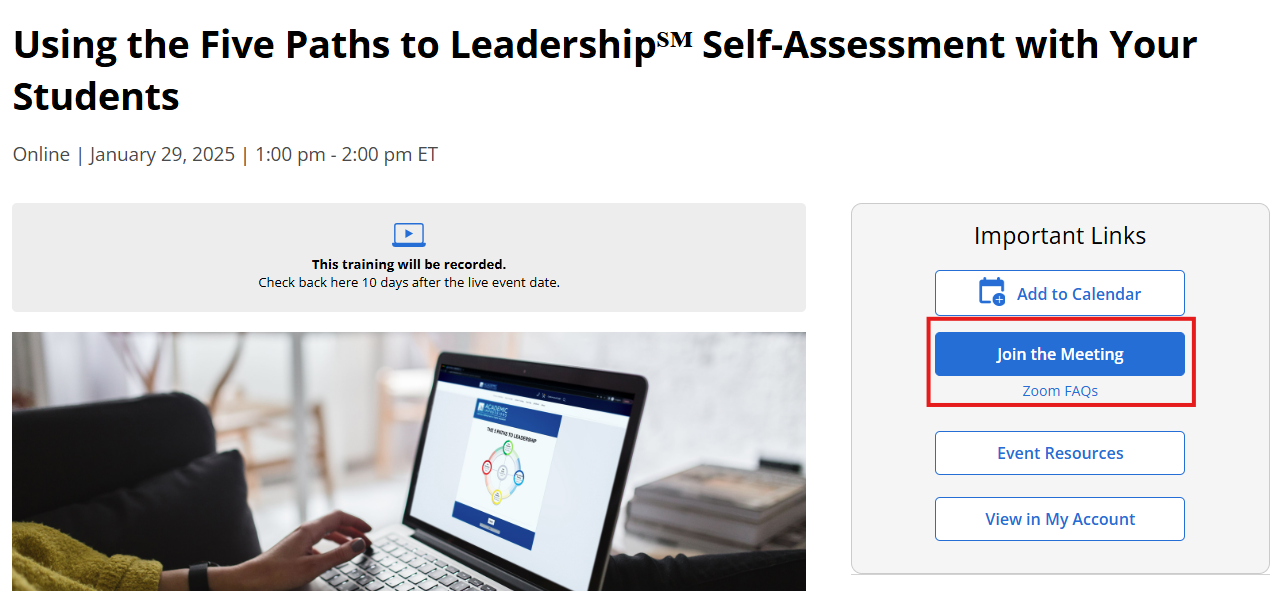
You can also join the meeting from the event page (again, make sure you are logged in to your account).
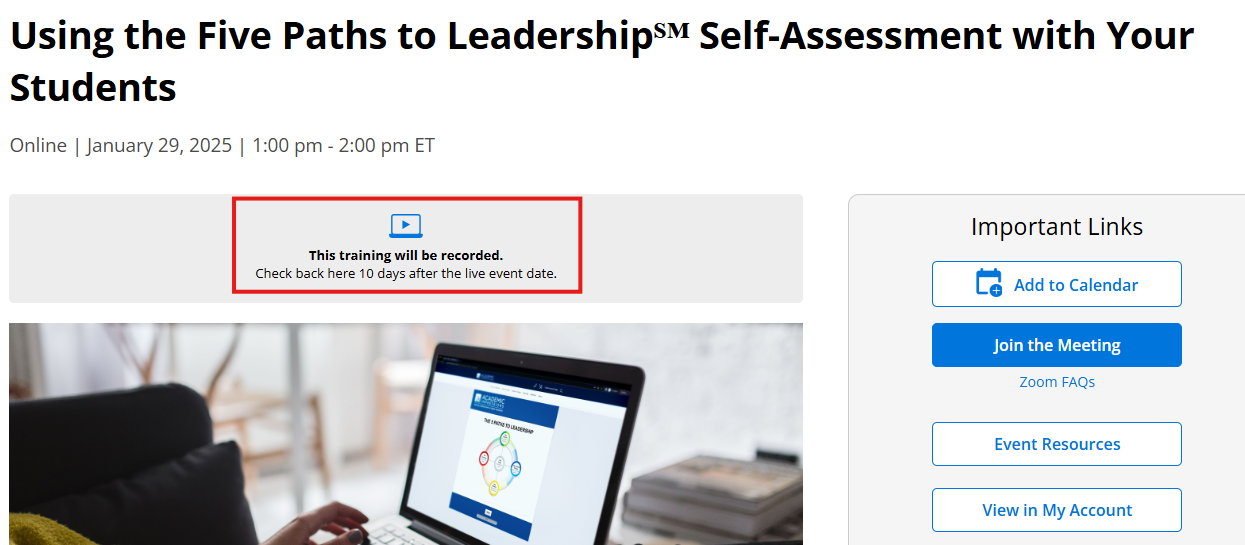
We provide recordings for most of our shorter trainings – check the event page to confirm whether or not the training will be recorded. We do not record virtual conferences.
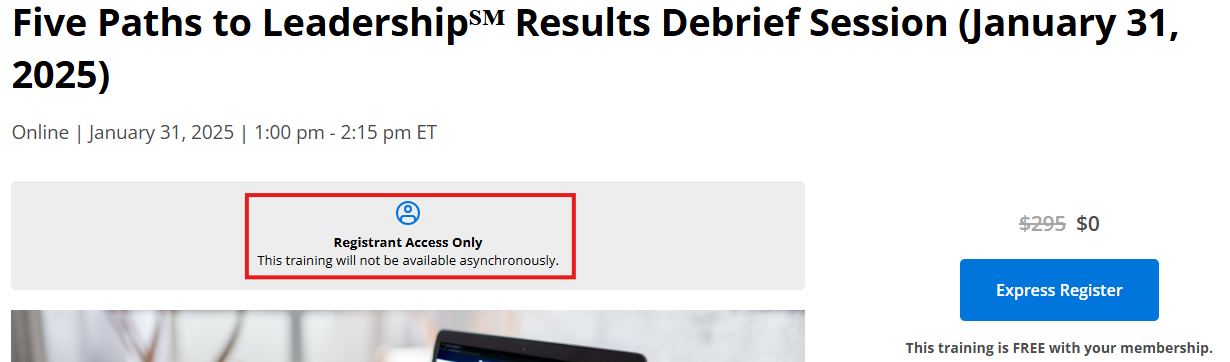
If you registered for a live training, you will receive access to a temporary recording within a few business days of the live training. You will be notified via email once the recording is available, and you will be able to access the recording on the My Trainings and Registrations page of your account, in the “Past Live Events” tab.
If you did not register for the live training, you will need to wait for the permanent recording to become available in our library. Permanent recordings are typically made available 10 business days after a live event.
How can I request a certificate of completion? ExpandYou can request a certificate of completion by filling out this form. Certificates are sent weekly on Fridays.
Where do I find my results from the Five Paths to Leadership® Self-Assessment? ExpandResults are emailed from webmaster@academicimpressions.com to the email address associated with your account on our website. If they are not in your inbox, make sure to check your spam/junk folder. You can also find your results while you are logged into your account, at https://dev.academicimpressions.com/my-account/my-five-paths-results/. If you cannot locate your results, contact operations@academicimpressions.com.
Logging in and Navigating Our Website
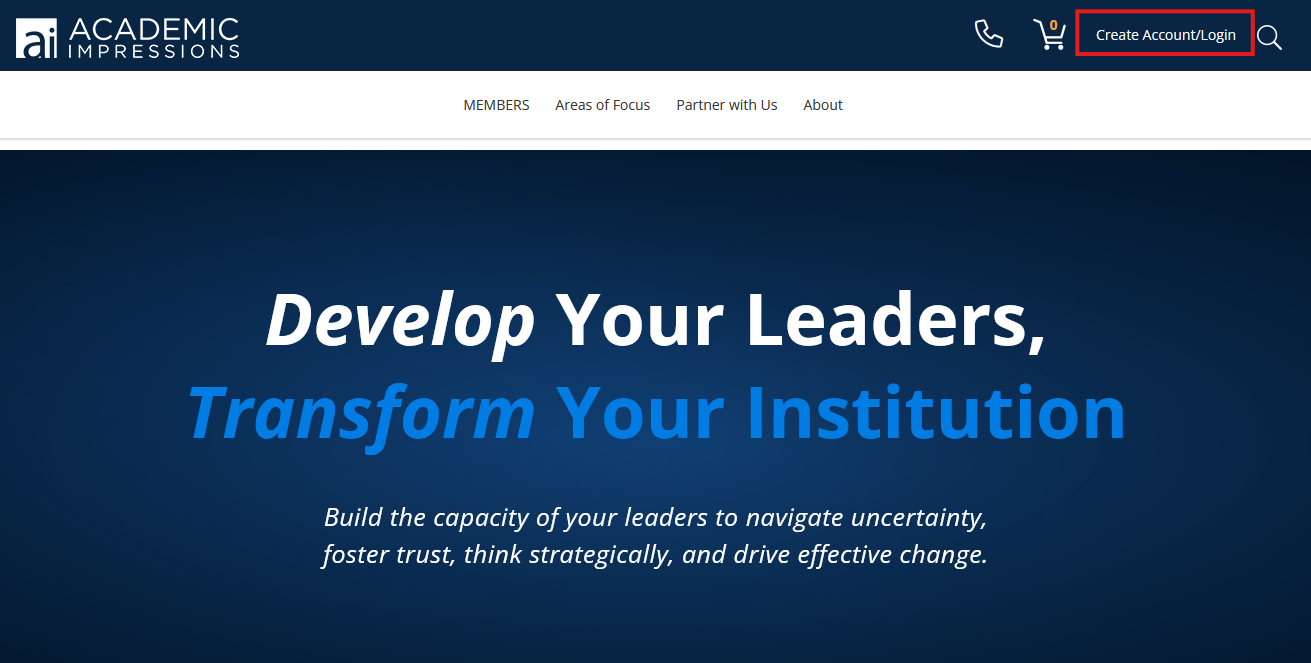
How do I log into my account? ExpandYou can log in to your account by clicking “Create Account/Login” in the top-right corner of any page on our site. After clicking “Login,” you will be directed to enter your email address and password.
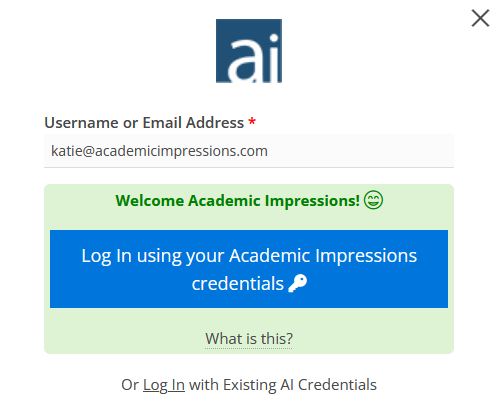
If you are part of an institution-wide membership, and your institution has established Single Sign-On (SSO), after entering your campus email address you will be prompted to log on with your institutional credentials.
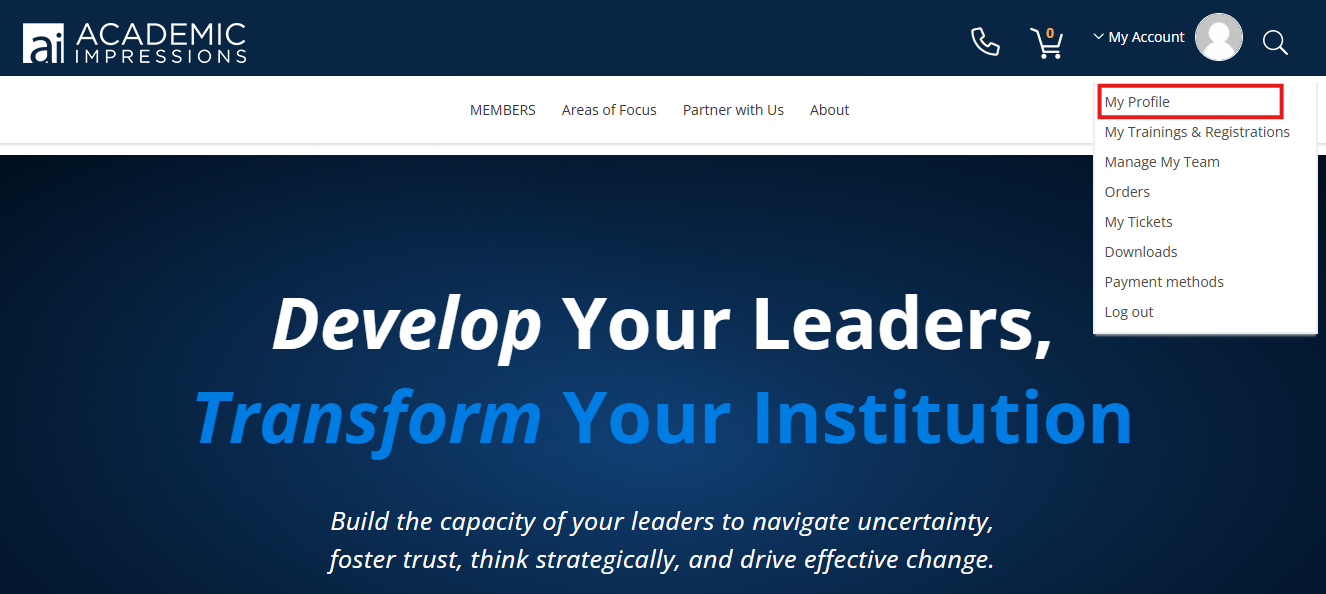
To change your password, visit your My Profile page (you can get there by hovering over “My Account” in the upper-right corner and clicking “My Profile” in the drop-down menu). Then click the pencil icon next to your name.
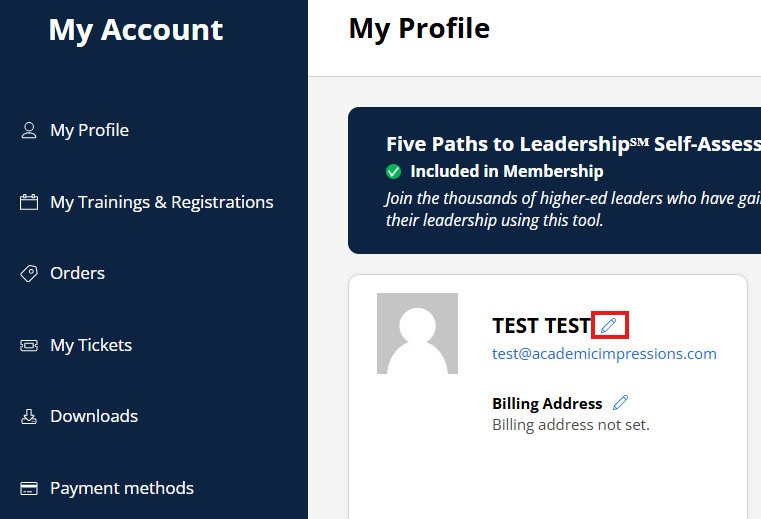
If you forgot your password, or you need to reset it, click the “Lost your password?“ link on our login page and enter your email address. An email will be sent to you that allows you to reset your password.
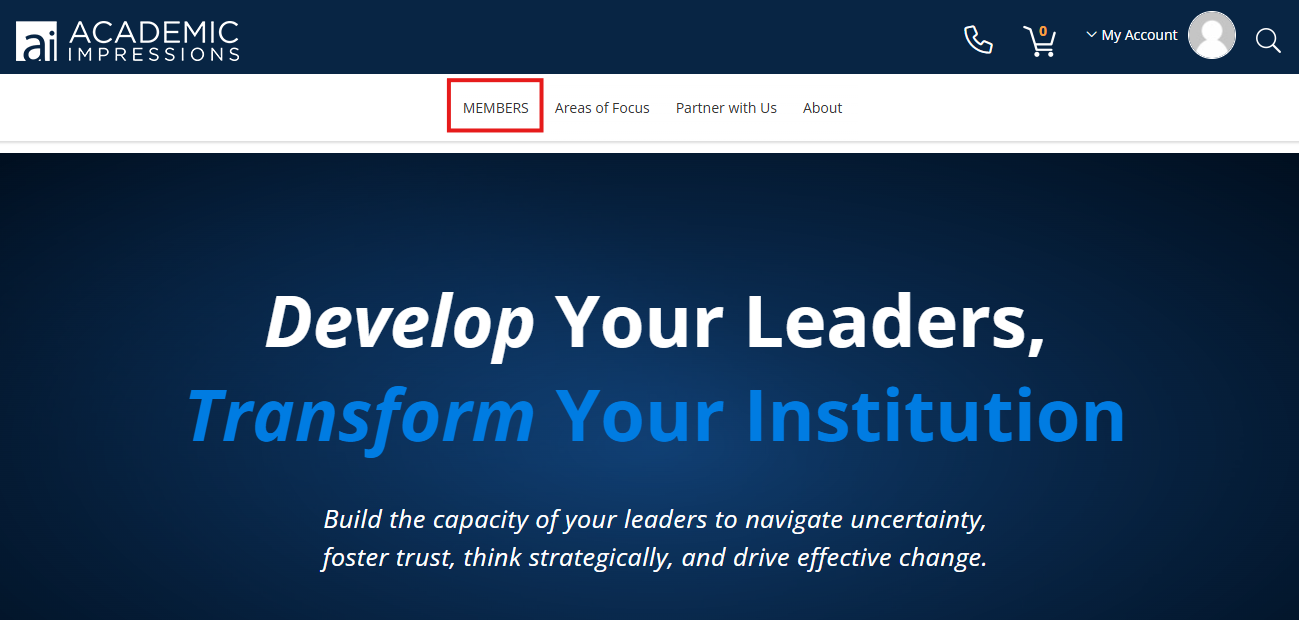
How do I find trainings on your website? ExpandThe best place to get started is on our All Resources page – you can get there by clicking MEMBERS at the top of our website.
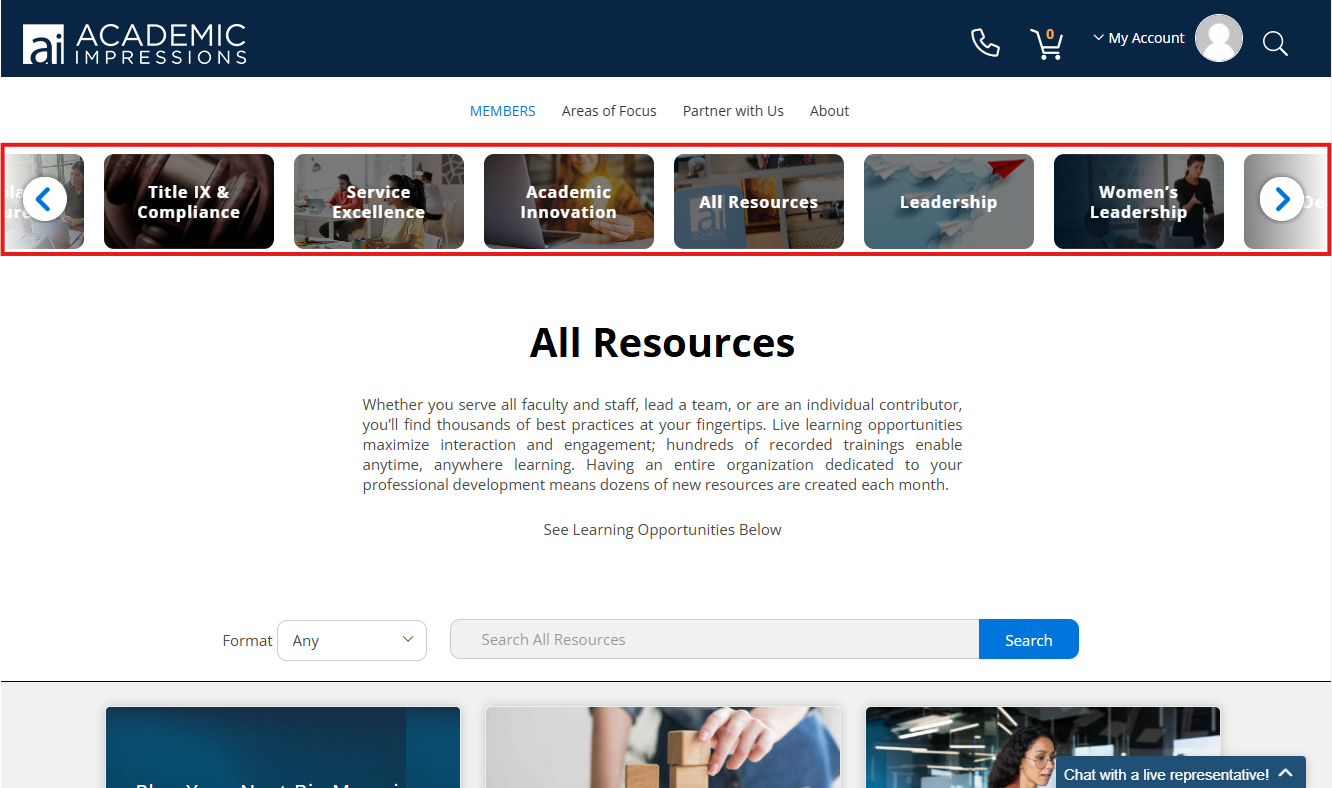
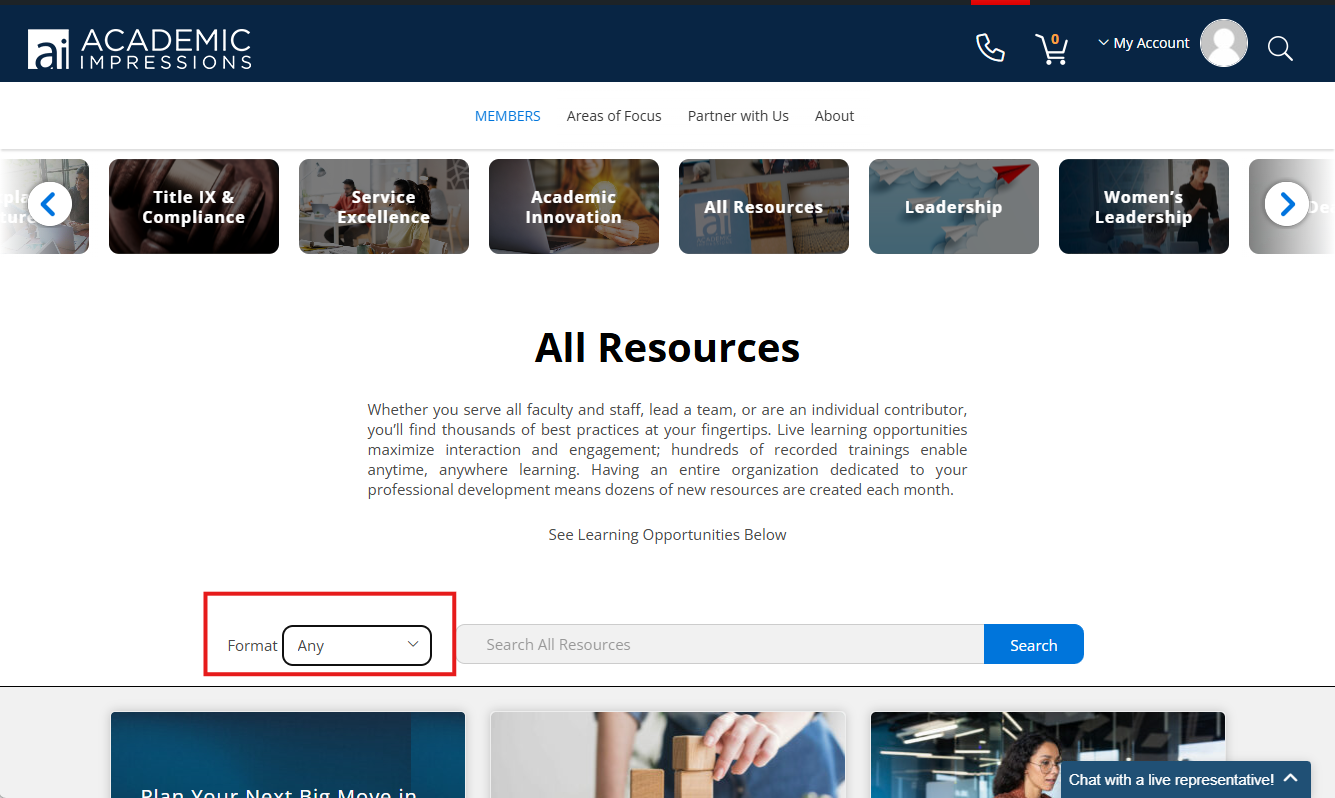
The All Resources page will show all upcoming events in chronological order, and you can navigate between topics using the slider at the top. Click on the All Resources tile to browse our entire collection, or click the arrows on the left- or right-hand side to see more topics. Use the Format filter on the left to narrow your results based on type or format. On the right, you can toggle between upcoming or recently added trainings.
Registering for and Accessing Trainings
How do I register for trainings? ExpandIf you have a membership, make sure that you are logged in to our site so that you are recognized as a member with access to free and discounted events. If you need help logging into your account, please see our login instructions!
For events that are free with membership, click the “Express Register” button at the top of the page to automatically add the training to your account.
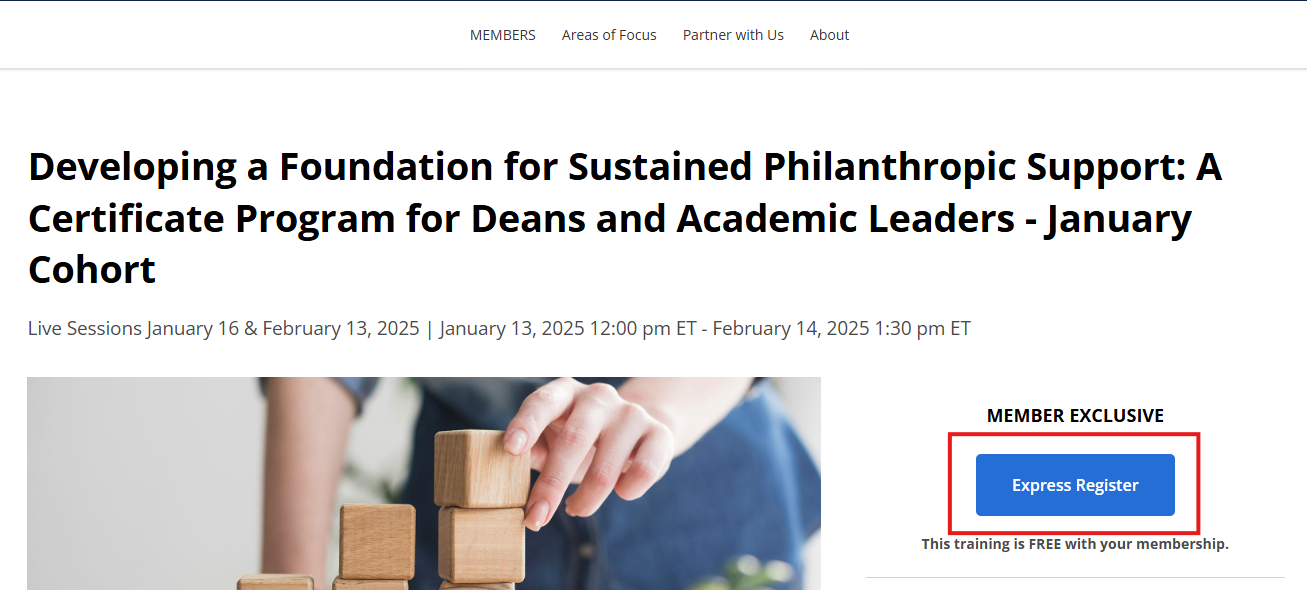
For trainings with an associated fee, click the “Purchase Training” button at the top of the page to add the training to your cart. You will then be prompted to go through a checkout process.
If you are registering for an upcoming live event, you’ll be able to access the training on the “My Upcoming Live Events” tab on your My Trainings and Registrations page. You will also receive a confirmation email.
If you are registering for a course or recording, you’ll be able to access the content immediately after adding it to your account, both from the course page and from the “My Training Library” tab on your My Trainings and Registrations page.
Registrations are tied to an individual’s account and cannot be made on behalf of someone else. To place a registration on behalf of another person, please contact our customer service team via our Live Chat or at info@academicimpressions.com. For more information, please see our Usage Restrictions.
Will “X” training be recorded? When do recordings of live trainings become available? ExpandWe provide recordings for most of our shorter trainings – check the event page to confirm whether or not the training will be recorded. We do not record virtual conferences.
If you registered for a live training, you will receive access to a temporary recording within a few business days of the live training. You will be notified via email once the recording is available, and you will be able to access the recording on the My Trainings and Registrations page of your account, in the “Past Live Events” tab.
If you did not register for the live training, you will need to wait for the permanent recording to become available in our library. Permanent recordings are typically made available 10 business days after a live event.
How do I log in to a live training I’ve registered for? ExpandFirst, make sure you are logged into your account. If you need help logging into your account, please see our login instructions!
Then, navigate to your My Trainings and Registrations page – you can get there by hovering over “My Account” in the upper-right corner, then clicking “My Trainings and Registrations” in the drop-down menu. Find your training under “My Upcoming Live Events” and click the “Join the Meeting” button.
You can also join the meeting from the event page (again, make sure you are logged in to your account).
How do I cancel my registration? ExpandContact our customer service team via our Live Chat, our contact form, or at info@academicimpressions.com.
If your training will be recorded (indicated on the event page), we recommend keeping your registration so that you are notified once the recording becomes available.
If you are looking to cancel a paid registration, please refer to our cancellation policy.
How can I request a certificate of completion? ExpandYou can request a certificate of completion by filling out this form. Certificates are sent weekly on Fridays.
How can I access the Five Paths to Leadership® Self-Assessment? ExpandIf you are a member, you can access The Five Paths to Leadership® Self-Assessment for free here. If you are not a member, and you would like to purchase the assessment, you can do so here.
Where do I find my results from the Five Paths to Leadershi® Self-Assessment? ExpandResults are emailed from webmaster@academicimpressions.com to the email address associated with your account on our website – if they are not your inbox, make sure to check your spam/junk folder. You can also find your results at https://dev.academicimpressions.com/my-account/my-five-paths-results/, while you are logged into your account. If you cannot locate your results, contact operations@academicimpressions.com.
How do I book my hotel room for a conference? ExpandTo find information on booking your hotel room for the conference, please refer to your confirmation email or to the conference event page, where you will find detailed location information, including the hotel phone number, the room block rate, and room block dates.
Usage Restrictions ExpandLive training purchases provide one site license to access the event. Login information cannot be shared, and content cannot be simulcast to other participants.
Digital Recordings are permanent recordings that can be used and viewed only by the person who ordered the recording.
If the purchaser is not the viewer, please email info@academicimpressions.com so that access information can be moved into the viewer’s account. We will need permission from the purchaser to transfer the registration out of their account and into another person’s account.
Membership
What is included in membership? ExpandMembership includes free access to virtual trainings and conferences, recordings, and the Five Paths to Leadership® Self-Assessment, as well as to discounted registration for in-person conferences and online bootcamps.
How do I invite others at my institution to use the membership? ExpandTo make changes to your institution’s membership roster, please contact your Main Campus Contact (listed on your My Profile page). If there is no contact listed, please email us at membership@academicimpressions.com.
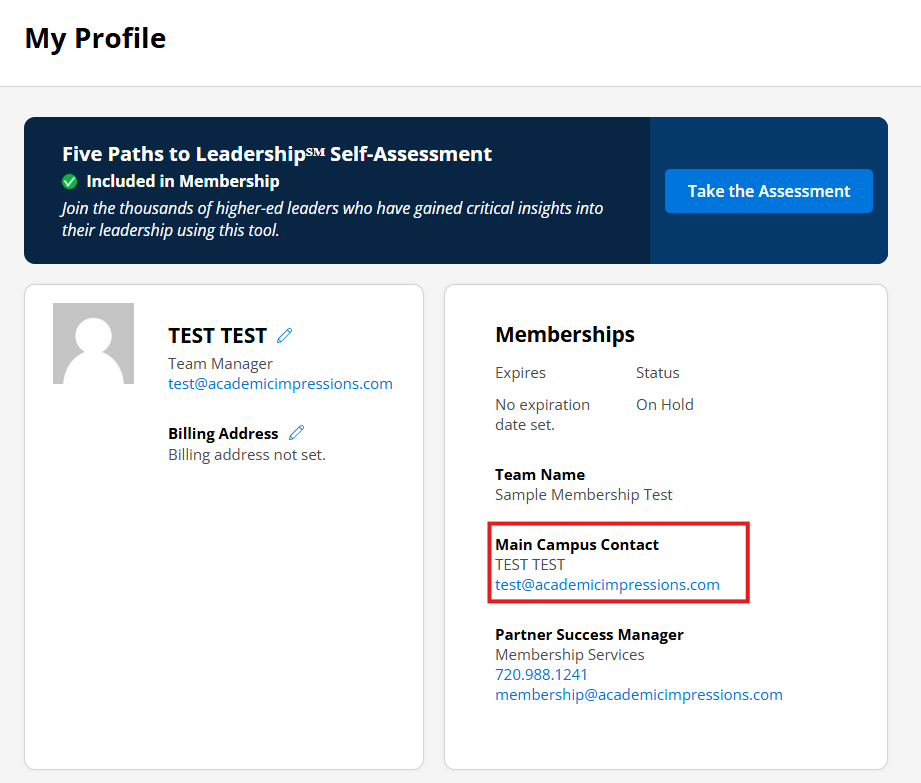
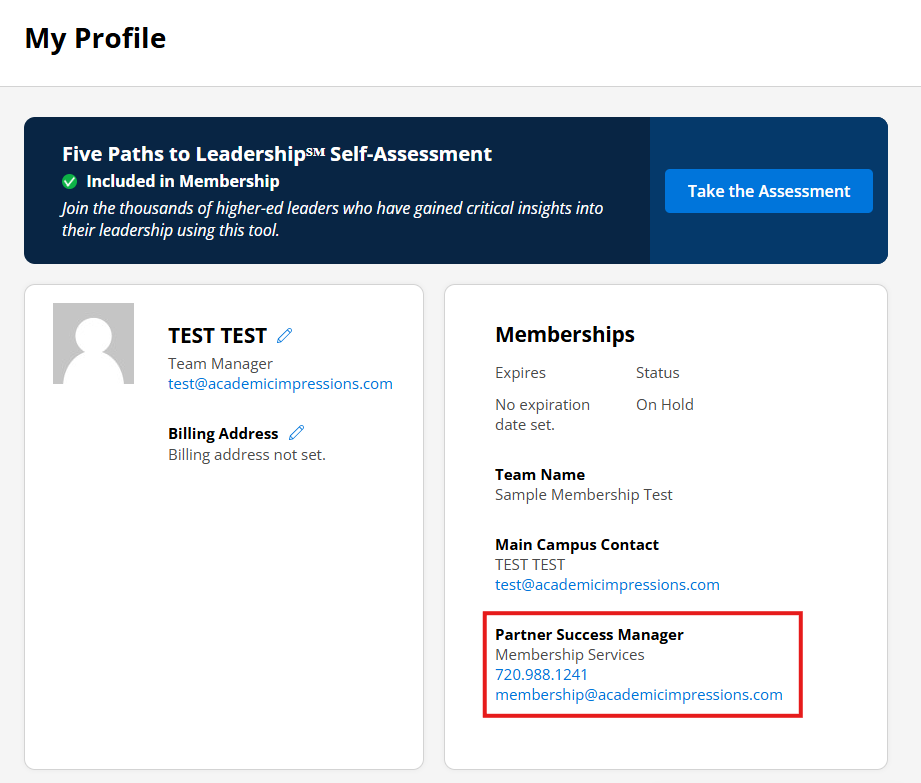
To renew your membership, please contact your Partner Success Manager (listed on your My Profile page) or email us at membership@academicimpressions.com.
This document contains all of our current member institutions. If you don’t see your institution listed there, email us at membership@academicimpressions.com. If you see your institution, contact us to find out your primary contact.
Do you have any trainings on “XYZ” topic? ExpandIf you’d like recommendations for specific trainings, please contact your Partner Success Manager (listed on your My Profile page) or email us at membership@academicimpressions.com. You can find more information about navigating our website and searching for trainings here.
View membership Terms and Conditions here.
Membership Instructions ExpandView Membership Instructions here.
Membership Satisfaction Guarantee ExpandAcademic Impressions has a 100% satisfaction guarantee. If you’re unhappy with your membership for any reason, please let us know within two weeks of your activation date to receive a full refund.
Purchasing
What forms of payment do you accept? ExpandPayment methods accepted include Visa, MasterCard, American Express, ACH/EFT, and Pay by Invoice. Invoices are due upon receipt.
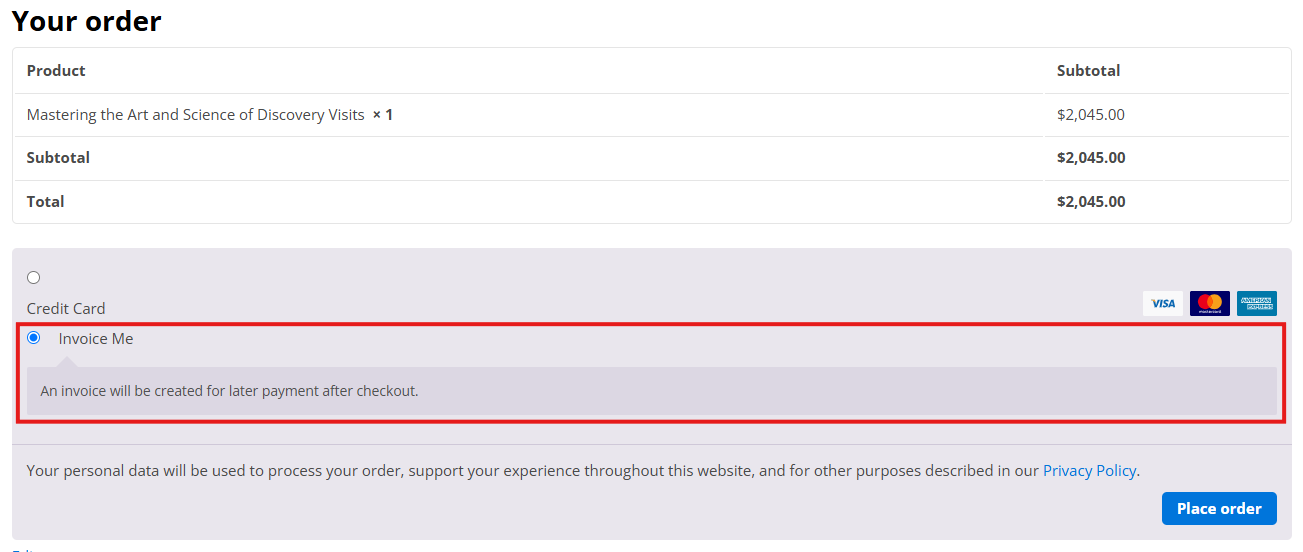
To request an invoice for a purchase, make your way to the checkout page, scroll to the bottom, select “Invoice Me”, and then click “Place Order”.
Memberships, books, assessments, and conference group packs require pre-payment. Conference registrations, virtual trainings, recordings, and courses do not require pre-payment.
Refund and Cancellation Policies for Purchased Trainings and Products: ExpandOnline memberships
After the membership satisfaction guarantee window closes, all sales are final. No cancellations or refunds are allowed after membership benefits have been provided.
Live Online Trainings
All sales are final. Registrations are tied to your email address, and access is restricted to the person who is listed as the registrant on the event. Login information cannot be shared, and content cannot be simulcast to other participants.
Substitute registrants are welcome and may be named free of charge at any time prior to the first live event date.
No refunds will be issued for cancellations. However, as a courtesy, we will allow you to apply your payment, less a $100 service charge, toward a future purchase within one year from the date you cancel. This credit can be used by any individual at your organization for any product or service, including online membership.
In-Person Conferences and Workshops
Substitute registrants are welcome and may be named free of charge at any time prior to the first day of the conference.
No refunds will be issued for cancellations. However, as a courtesy, we will allow you to apply your payment, less a $100 service charge, toward a future purchase within one year from the date you cancel. This credit can be used by any individual at your organization for any product or service, including online membership.
Recordings, Courses, Books, and Assessments
All sales are final. No cancellations or refunds are provided.
When will I receive my book purchase? ExpandPrint books are shipped within 7 business days of receipt of payment and are shipped via USPS Priority Mail. US orders typically arrive within 3 business days of shipment, while Canadian and international orders can take up to 2 weeks to arrive at their destination. If you are located outside of the US, you will receive a confirmation email with a tracking number when your order ships. If you have not received your order within two weeks, it is possible that it is being held for you at a local postal office because an import fee needs to be paid. If there is a delay due to extenuating circumstances, someone from Academic Impressions will contact you to discuss when the book(s) will be expected to be shipped.
Digital
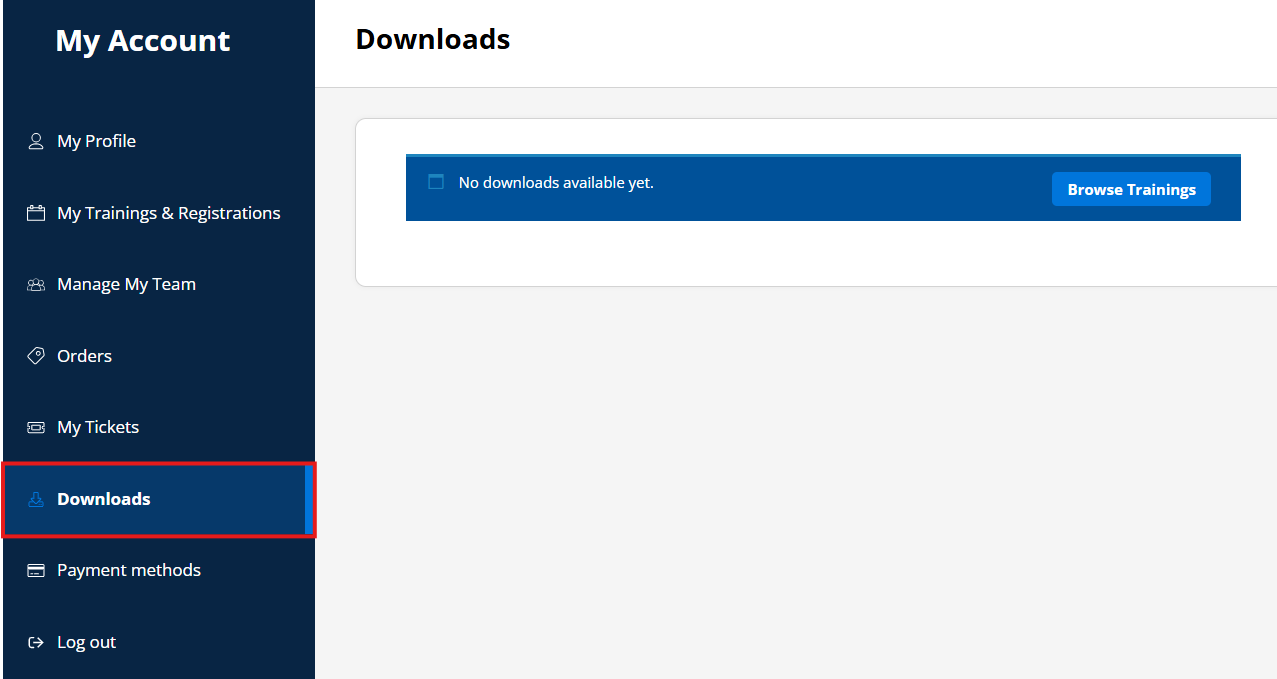
Digital books will be accessible through the My Downloads section of your account immediately following receipt of payment.
Stay in Touch!
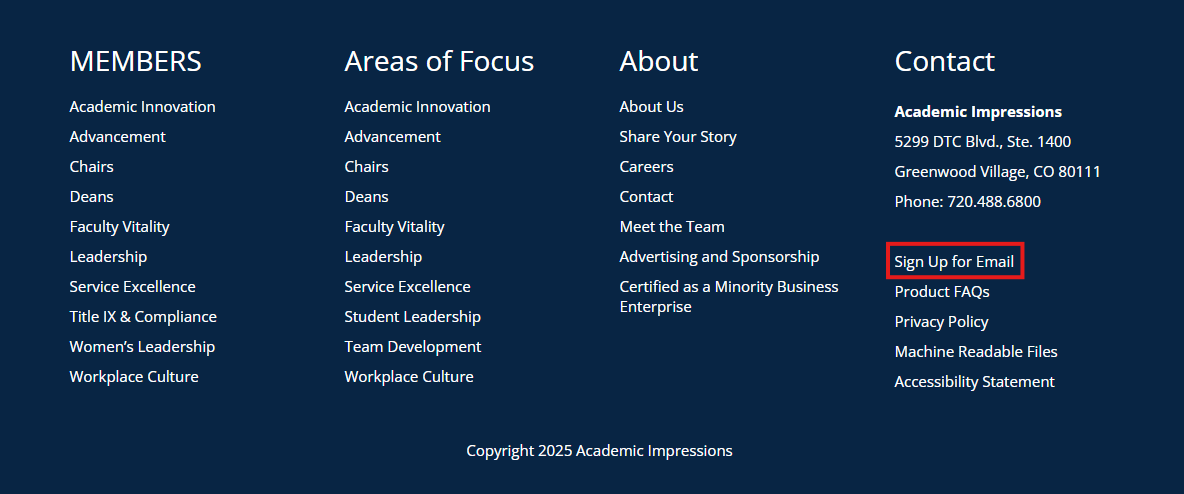
How do I sign up for your emails, or update my email preferences? ExpandYou can sign up for emails by filling out this form – you can get here by scrolling to the bottom of our website and clicking “Sign Up for Email” on the right-hand side. Make sure that we are included on your institution’s Safe Sender list.
You can edit your delivery subscription at any time by visiting the Preference center link in any email footer.
I have a question that isn’t answered here. How can I contact your customer service team? ExpandYou can contact our Customer Service Team via Live Chat, email, or phone (720.488.6800).